
Multi-User Billing and Stock Control for Small Teams: How to Stay Organized
Learn how small business teams can organize multi-user billing, manage multiple POS counters, maintain accurate stock records and coordinate employee responsibilities using billing and inventory software.
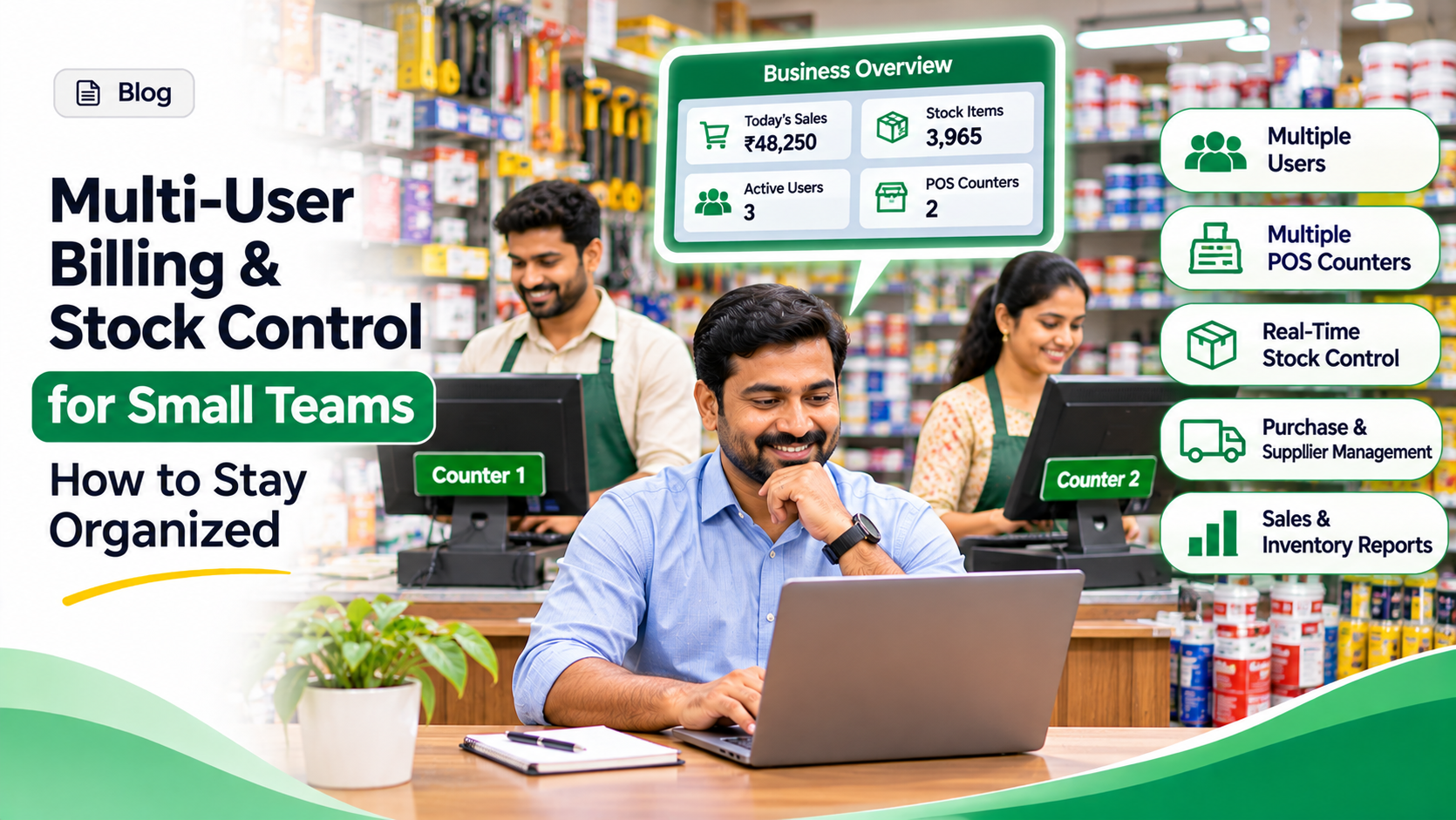
Multi-User Billing and Stock Control for Small Teams: How to Stay Organized
Small businesses can manage billing and inventory more efficiently by assigning clear responsibilities, maintaining accurate stock records and using shared billing software. When multiple employees handle sales, purchases and inventory, a consistent workflow helps prevent duplicate entries, incorrect stock updates and billing mistakes while giving business owners better visibility into daily operations.
As a retail business grows, managing everything through one person becomes increasingly difficult.
One employee may handle customer billing, another may manage purchases, while someone else looks after inventory and supplier coordination.
Without a structured process, important information can become scattered. Employees may enter duplicate transactions, overlook stock updates or struggle to identify who handled a particular task.
This is why small businesses need an organized multi-user billing and inventory management workflow.
In this guide, let's understand how small teams can coordinate daily operations, manage billing responsibilities and maintain better stock control.
Quick Answer: How Can Small Teams Manage Billing and Inventory Efficiently?
Small businesses can improve multi-user billing and stock control by following these practices:
1. Assign clear responsibilities to each employee. 2. Maintain a centralized product database. 3. Use a consistent billing workflow across counters. 4. Record every purchase and sale. 5. Maintain accurate stock adjustment records. 6. Standardize discounts, returns and corrections. 7. Review daily sales and inventory reports. 8. Train employees on the same operating procedures. 9. Evaluate user access permissions carefully. 10. Review business activity regularly.
A shared billing and inventory system makes it easier to maintain consistent records as more employees become involved in daily operations.
1. Why Do Small Businesses Need Multi-User Billing?
When a business has only one employee, billing and stock management may be relatively simple.
However, as the business grows, multiple people begin handling different activities.
For example, consider a hardware store with four employees:
| Employee | Responsibility |
|---|---|
| Employee 1 | Customer billing |
| Employee 2 | Additional billing counter |
| Employee 3 | Purchase and supplier coordination |
| Employee 4 | Stock verification and store operations |
If each employee maintains separate records, the owner may struggle to understand the actual business position.
A centralized system helps maintain consistent transaction records and reduces dependency on handwritten registers or disconnected spreadsheets.
Common problems when multiple employees handle operations
- Duplicate product entries.
- Incorrect quantities during billing.
- Purchases not recorded on time.
- Stock adjustments without proper documentation.
- Confusion about employee responsibilities.
- Delays in reviewing daily sales.
- Difficulty identifying recurring operational mistakes.
A structured multi-user workflow helps reduce these problems.
2. Assign Clear Responsibilities to Every Employee
One of the most important steps in managing a small team is defining who handles each activity.
Employees should understand their responsibilities before they begin using the billing system.
A simple responsibility structure can look like this:
| Activity | Primary responsibility |
|---|---|
| Customer billing | Billing staff |
| Product selection | Billing staff |
| Purchase entries | Purchase staff |
| Supplier coordination | Purchase staff |
| Stock verification | Inventory staff |
| Daily sales review | Owner or manager |
| Business reporting | Owner or authorized manager |
For smaller businesses, one employee may handle multiple responsibilities.
The important thing is to avoid situations where everyone assumes someone else has completed an important task.
**Practical tip:** Maintain a simple responsibility register and update it whenever employees change roles.
3. Use a Centralized Product and Inventory Database
When several employees work with the same products, maintaining consistent product information becomes essential.
A centralized product database helps employees refer to the same product names, prices, units and stock information.
Your product records should ideally include:
| Information | Purpose |
|---|---|
| Product name | Consistent identification |
| Category | Product organization |
| SKU or barcode | Product identification |
| Purchase price | Purchase record accuracy |
| Selling price | Billing accuracy |
| Unit of measurement | Correct quantity entry |
| GST details | Applicable tax calculations |
| Stock quantity | Inventory visibility |
For example, if a hardware shop sells different sizes of PVC pipes, each size should have its own identifiable product record.
This reduces confusion when employees select products during billing or purchase entry.
**Best practices:**
- Avoid duplicate product records.
- Maintain consistent product naming.
- Update prices when required.
- Organize products by category.
- Verify units and GST configurations.
- Review product records periodically.
4. Establish a Standard Billing Workflow Across Employees
Every billing employee should follow the same procedure.
When different employees follow different billing methods, mistakes become more difficult to identify and correct.
A standard billing workflow should include:
1. Open the POS billing screen. 2. Select the correct customer where required. 3. Search for or scan the product. 4. Verify the product and quantity. 5. Apply authorized discounts. 6. Review the invoice and applicable taxes. 7. Record the payment. 8. Complete the transaction. 9. Generate and share or print the invoice.
For example, if two employees operate separate counters, both should follow the same product selection and invoice verification procedure.
This creates consistency across the business.
5. Manage Multiple Billing Counters Efficiently
Businesses with more customers may need more than one billing counter.
A supermarket, hardware showroom or electrical store may experience peak customer traffic during certain hours.
Operating multiple POS counters helps distribute customer transactions.
For example:
| Counter | Main responsibility |
|---|---|
| Counter 1 | Regular customer billing |
| Counter 2 | Additional customer billing |
| Counter 3 | High-volume checkout support |
When choosing billing software, verify that it supports simultaneous transactions from multiple counters.
DVyapar supports unlimited concurrent POS counters, allowing businesses to operate multiple billing stations.
Remember that billing counters and employee user accounts are different things. Check the applicable subscription and additional-user charges when planning your team setup.
6. Maintain Accurate Stock Records Across Employees
Inventory discrepancies often occur when multiple employees handle stock without following a consistent recording process.
For example:
- One employee receives a supplier delivery.
- Another employee enters the purchase.
- A third employee sells the products.
- The owner reviews the stock at the end of the day.
If purchase quantities or sales entries are missed, the recorded inventory may not match the physical stock.
To avoid this, establish a standard stock management procedure.
Recommended stock control workflow
**Purchase receiving**
Verify the received quantities against the supplier's purchase document.
**Purchase entry**
Record the accepted quantities and relevant purchase information.
**Sales recording**
Ensure completed sales are recorded through the billing system.
**Stock adjustments**
Document damaged goods, returns and other inventory corrections.
**Physical verification**
Compare actual stock with recorded stock and investigate discrepancies.
This process helps employees maintain more reliable inventory records.
7. Standardize Stock Adjustments, Returns and Discounts
These activities require particular attention when several employees handle business operations.
Stock adjustments
Every stock correction should have a clear reason, such as:
- Damaged products.
- Missing inventory.
- Incorrect purchase entry.
- Physical stock discrepancies.
- Approved inventory corrections.
Sales returns
Employees should follow a consistent procedure for recording returned products and updating relevant sales and stock records.
Discounts
Define who is authorized to apply discounts and under what circumstances.
Invoice corrections
Employees should understand the correct process for handling billing errors rather than creating unnecessary duplicate invoices.
**Important:** Maintain supporting records and approvals for adjustments according to your business requirements. Do not assume that every software subscription includes granular approval controls or a complete employee audit trail.
8. Review Daily Sales and Employee Activity
Business owners should not have to depend entirely on employees to understand what happened during the day.
Regular reporting provides better visibility into business operations.
Useful reports include:
| Report | What it helps identify |
|---|---|
| Daily sales | Overall business performance |
| Invoice records | Completed customer transactions |
| Product-wise sales | Fast-moving products |
| Purchase records | Supplier purchases |
| Stock movement | Inventory changes |
| Profit reports | Business profitability |
| GST summaries | Tax-related sales information |
For example, if sales increase significantly at one counter, the owner can review staffing arrangements and improve employee allocation.
Where the software provides user-wise reporting, it can also help management review activity by employee.
9. Train Employees Before Giving Them Access
Adding employees to billing software without proper training can create unnecessary mistakes.
Every employee should understand the tasks relevant to their responsibility.
A practical training checklist includes:
- [ ] How to access the billing system.
- [ ] How to search for products.
- [ ] How to generate invoices.
- [ ] How to record payments.
- [ ] How to enter purchases.
- [ ] How to verify stock quantities.
- [ ] How to handle returns.
- [ ] How to report billing mistakes.
- [ ] How to follow business procedures.
- [ ] Who to contact when an issue occurs.
Training should use practical business transactions rather than only theoretical demonstrations.
10. Choose Billing Software That Supports Growing Teams
As your business expands, your software should support the operational requirements of a growing team.
Before selecting a platform, evaluate these capabilities:
| Capability | Why it matters |
|---|---|
| Cloud-based access | Access business records from supported devices |
| Multiple POS counters | Handle simultaneous billing |
| Inventory management | Maintain stock visibility |
| Purchase management | Record supplier transactions |
| Sales reports | Review daily business activity |
| User management | Organize employee access |
| Access permissions | Control sensitive activities where supported |
| Data backup | Protect important business records |
| Data export | Maintain access to business information |
| Customer support | Get help with onboarding and operations |
Also compare subscription limits, additional-user pricing and branch charges.
The best software is not necessarily the one with the most features. It is the one that fits your team's actual workflow and business requirements.
11. How DVyapar Helps Small Teams Manage Billing and Stock
DVyapar is cloud-based billing, GST invoicing and inventory management software designed for Indian retail and other business operations.
It helps businesses organize important activities through a shared platform.
POS billing
Employees can generate invoices using saved product records and configured billing information.
Unlimited concurrent POS counters
Businesses can operate multiple POS counters simultaneously to handle customer transactions.
Inventory tracking
Maintain product records and stock information as sales and purchases are recorded.
Purchase management
Record supplier purchases and maintain purchase-related transaction information.
Multiple-branch stock transfers
Manage inventory transfers between supported branches.
GST invoicing
Generate invoices with configured tax calculations and applicable GST details.
Sales and business reports
Review sales, profit, GST summaries and other business information.
By bringing billing, inventory and reporting together, DVyapar helps business owners maintain better visibility over everyday operations.
For teams with additional employees, check the applicable user subscription and pricing before onboarding everyone.
12. Daily and Weekly Checklist for Small Business Teams
Use this checklist to maintain a consistent operating process.
Daily checklist
- [ ] Verify that billing counters are ready.
- [ ] Ensure product information is updated.
- [ ] Record all completed sales.
- [ ] Enter supplier purchases.
- [ ] Review payment collections.
- [ ] Record returns and stock adjustments.
- [ ] Review daily sales reports.
- [ ] Investigate important stock discrepancies.
Weekly checklist
- [ ] Review employee responsibilities.
- [ ] Verify selected physical stock.
- [ ] Review product-wise sales.
- [ ] Identify frequently occurring billing errors.
- [ ] Check purchase and supplier records.
- [ ] Review inventory adjustments.
- [ ] Verify that employees follow standard procedures.
- [ ] Update training requirements.
A consistent routine makes it easier for small teams to work together without creating unnecessary administrative overhead.
Frequently Asked Questions About Multi-User Billing and Stock Management
1. What is multi-user billing software?
Multi-user billing software allows multiple authorized users to work with a shared business system. Depending on the platform, users may operate billing counters, access records and perform other business activities simultaneously.
2. How can small businesses manage billing with multiple employees?
Small businesses should assign clear responsibilities, standardize billing procedures, maintain a centralized product database and review daily transaction records.
3. What is the difference between multiple users and multiple POS counters?
Users are individual people who access the software. POS counters are billing stations used to process customer transactions. A business may require multiple users, multiple counters or both.
4. Can multiple employees generate invoices simultaneously?
Yes. Billing systems that support concurrent POS operations allow multiple employees to generate invoices simultaneously. DVyapar supports unlimited concurrent POS counters.
5. How can businesses prevent inventory mistakes when multiple employees handle stock?
Maintain a centralized inventory database, record every purchase and sale, document stock adjustments and conduct regular physical stock verification.
6. Why should businesses assign different responsibilities to employees?
Clear responsibilities reduce confusion, avoid duplicate work and make it easier to identify where operational mistakes occur.
7. Can cloud-based billing software help small teams?
Cloud-based billing software can help authorized employees access shared business information through supported devices and maintain centralized transaction records.
8. What should I check before choosing multi-user billing software?
Check concurrent billing support, user limits, additional-user pricing, inventory management, purchase records, reports, access permissions, backup arrangements and customer support.
Final Thoughts
Managing billing and inventory becomes more challenging as a business grows and more employees become involved in daily operations.
The solution is not simply to add more employees. It is to establish clear responsibilities, consistent workflows and reliable business records.
With proper processes and suitable billing software, small teams can handle customer transactions, manage purchases, maintain stock visibility and give business owners better control over daily operations.
**Looking to organize your growing business team?**
Explore DVyapar for POS billing, GST invoicing, inventory tracking, multiple billing counters and business reports.
FAQs
Frequently asked questions about Dvyapar
These answers stay the same across the site so readers get a clear product overview wherever they land.
Is DVyapar's online GST billing software suitable for small businesses?
Yes. DVyapar is built for retailers, wholesalers, distributors, and service businesses of all sizes. Its intuitive interface makes it easy for anyone to start using without technical expertise.
Why choose DVyapar over other GST billing software?
DVyapar focuses on simplicity, speed, and affordability. It combines billing, inventory, GST compliance, customer management, and business reporting into one easy-to-use platform, making it one of the best GST billing software in India for growing businesses.
Can I create GST invoices on DVyapar ?
Yes. DVyapar is one of the best GST bill invoice software. It lets you generate accurate GST-compliant invoices with automatic tax calculations in just a few clicks. In addition, you do not require any technical knowledge to learn it.
Can DVyapar help me manage inventory and purchases?
Yes, DVyapar's bill generator software can help you manage inventory and purchases easily. Every sale and purchase automatically updates your inventory, helping you maintain accurate stock levels and simplify inventory management.
Is DVyapar a cloud-based GST billing software?
Yes. As a secure online GST billing software, DVyapar allows you to access your business from anywhere without installing software. You can login with our credentials on the web or phone and access all the records and reports.
Do I need technical knowledge to use DVyapar?
No, you do not require any technical knowledge. DVyapar is built with simplicity in mind, making it easy for anyone to use. Its intuitive interface allows you to create invoices, manage inventory, and handle daily business operations.
Can I use Dvyapar on a phone?
Yes. The product is made to be usable on phone and desktop, so staff can work the way that suits the store best.
Can I share bills with customers?
Yes. You can print bills or share them digitally, including through common customer follow-up flows such as WhatsApp.
How do I get started?
Register here: https://app.dvyapar.com/register. Create your account, explore the product, and book a demo if you want help setting it up.
Is there a free trial?
Yes. You can start with a trial, try the main workflow, and see if it fits your shop before you move ahead.
How does pricing work?
Pricing is kept simple so you can compare the plan that matches your store size, billing counter, and support needs.
Can I manage multiple stores?
Yes. Dvyapar can support stores that want to keep more than one counter or location in a single view.
Does Dvyapar show reports?
Yes. You can check sales, stock movement, and daily business activity so the owner can review the store quickly.
Can I get help after signup?
Yes. You can book a demo or reach the team for setup help so the first day feels easier.