
How Pharmacy Shops Can Choose Billing Software That Fits Their Daily Workflow
Learn how to choose pharmacy billing software with batch tracking, expiry management, GST invoicing, purchase management and inventory features for efficient medical store operations.
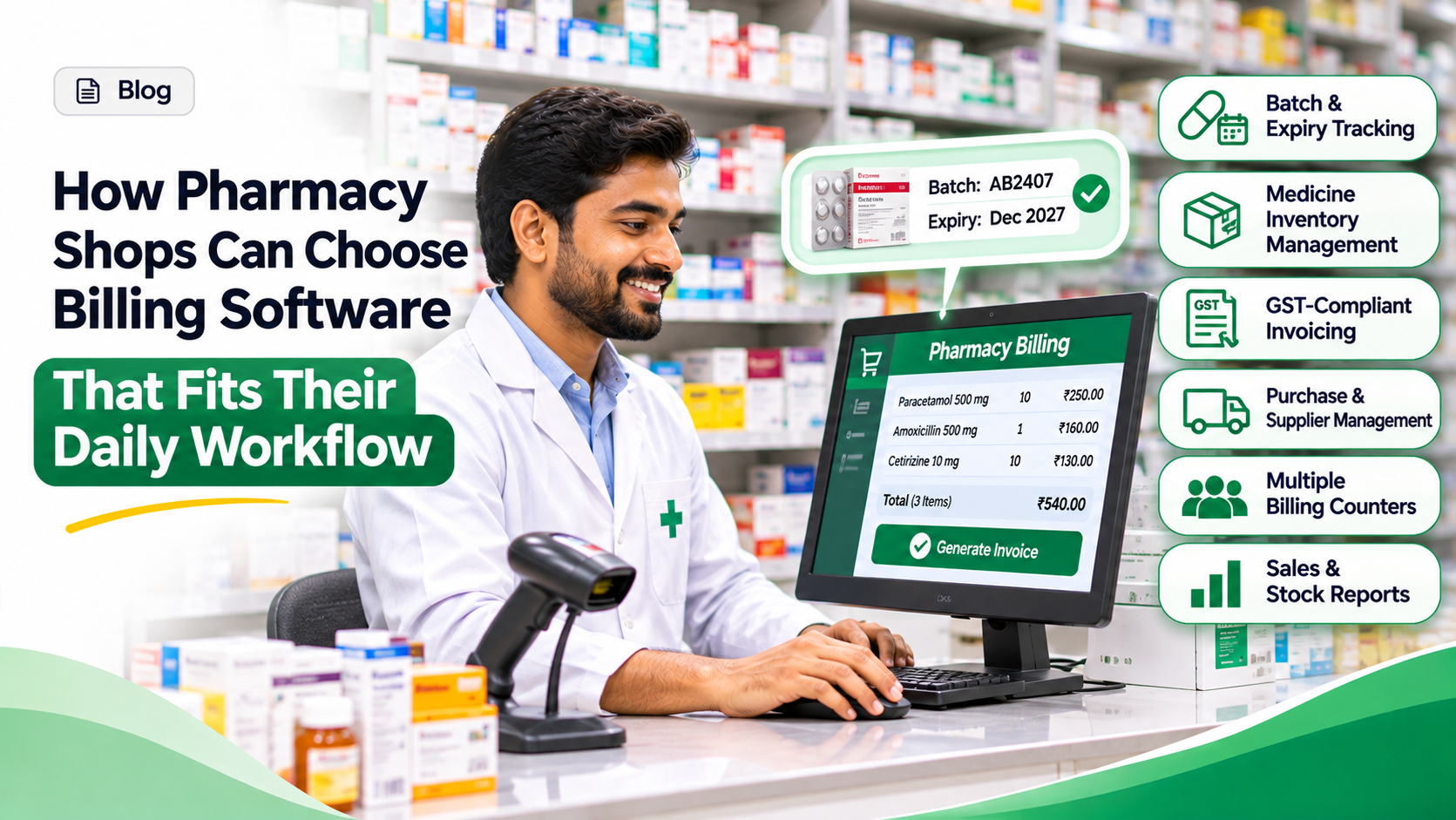
How Pharmacy Shops Can Choose Billing Software That Fits Their Daily Workflow
Choosing the right billing software for a pharmacy requires more than checking invoice generation and GST features. Pharmacy owners should evaluate product search, batch tracking, expiry management, purchase records, inventory updates, billing accuracy and sales reports. The right pharmacy billing software should simplify daily counter operations while helping the store maintain accurate product and stock information.
Running a pharmacy is different from managing a general retail shop. Pharmacists and store employees handle medicines with different strengths, brands, pack sizes, batch numbers and expiry dates.
A small mistake in selecting a medicine or entering its quantity can create billing and inventory problems. At the same time, customers expect quick service, accurate invoices and product availability.
This is why choosing suitable pharmacy billing software is an important decision for medical store owners.
In this guide, let's explore the features to evaluate, common mistakes to avoid and how to choose software that fits your pharmacy's daily workflow.
Quick Answer: What Should Pharmacy Owners Look for in Billing Software?
Before choosing pharmacy billing software, evaluate these essential capabilities:
1. Easy medicine and product search. 2. Product and category management. 3. Batch number and expiry date tracking. 4. Purchase and supplier management. 5. Accurate billing and GST invoice generation. 6. Inventory updates after sales and purchases. 7. Stock and expiry-related reports. 8. Multiple billing counters where required. 9. Branch-wise inventory management for multi-store pharmacies. 10. Reliable data access, backups and customer support.
The best software is one that fits your pharmacy's actual operations and is easy for employees to use consistently.
1. Understand Your Pharmacy's Daily Billing Requirements
Before comparing software, understand how your medical store operates.
A small neighbourhood pharmacy may have different requirements from a large medical store with multiple employees and branches.
Consider the following questions:
- How many customer bills do you generate daily?
- How many employees handle billing?
- Do you sell medicines with different strengths and pack sizes?
- How frequently do you receive new stock?
- Do you need batch and expiry tracking?
- Do you maintain multiple suppliers?
- Do you operate more than one pharmacy?
- Do you need GST reports and purchase records?
For example, a pharmacy selling multiple brands of the same medicine must ensure that employees select the correct product, strength and pack size.
Understanding these requirements helps you avoid purchasing software that looks impressive but doesn't suit your everyday workflow.
2. Check Whether Medicine Search Is Easy
Product search is one of the most important parts of pharmacy billing.
Employees should be able to locate the correct product without wasting time navigating through complicated menus.
When evaluating software, check whether it supports:
- Search by product name.
- Search by brand.
- Product category organization.
- Barcode-based product identification, where supported.
- Clear identification of different strengths and pack sizes.
- Easy access to product prices and stock information.
For example, two medicines may have similar names but different strengths. Employees must be able to distinguish them before adding them to an invoice.
**Practical tip:** Test the software using actual products from your pharmacy rather than relying only on a demonstration with sample data.
3. Prioritize Batch Number and Expiry Date Tracking
Batch and expiry management is especially important for pharmacies.
Medicines from the same product category may arrive in different batches with different manufacturing and expiry dates.
Without proper records, employees may struggle to identify which stock is approaching expiry.
Your pharmacy billing software should help you:
- Maintain batch information.
- Record applicable expiry dates.
- Review batch-wise stock.
- Identify products approaching expiry.
- Monitor inventory associated with different batches.
- Maintain accurate purchase and stock records.
For example, suppose your pharmacy receives 50 strips of a medicine in January and another 50 strips in March.
Both purchases may have different batch numbers and expiry dates. Maintaining separate batch records helps you identify and manage each stock entry properly.
**Important:** Batch and expiry tracking does not automatically guarantee FEFO-based dispensing. Confirm whether the software actually supports automatic batch selection or expiry-priority suggestions if that functionality is essential to your pharmacy.
4. Evaluate Purchase and Supplier Management
Pharmacies regularly purchase medicines and healthcare products from distributors and wholesalers.
Managing these purchases properly is important for maintaining accurate stock records.
Before selecting software, check whether it allows you to:
- Maintain supplier information.
- Record purchase invoices.
- Enter received product quantities.
- Maintain purchase prices.
- Track purchase history.
- Record purchase returns.
- Review supplier-related transactions.
For example, if your pharmacy receives 20 boxes of a product but only 18 are accepted because two are damaged, the purchase entry should reflect the actual accepted quantity and the relevant adjustment.
Accurate purchase records help maintain reliable inventory information.
5. Verify GST Billing and Invoice Requirements
Billing software should support the tax and invoicing requirements applicable to your pharmacy.
Check whether the software supports:
- Configured product tax rates.
- GST invoice generation.
- Applicable HSN details.
- CGST, SGST and IGST calculations where applicable.
- Invoice numbering and customization.
- Sales and GST reports.
- Exportable records for accounting and compliance workflows.
Not every medicine or healthcare product necessarily has the same GST treatment.
Verify the applicable classification and tax rate using current official GST information.
A software demonstration should include an actual invoice scenario from your pharmacy rather than just a generic retail invoice.
6. Check Inventory Management Capabilities
A pharmacy needs accurate visibility into available stock.
Inventory management software should help employees and owners understand what is available, what has been sold and what needs replenishment.
Evaluate these capabilities:
| Feature | Why it matters |
|---|---|
| Stock tracking | Monitor available quantities |
| Purchase entries | Update received stock |
| Sales entries | Maintain stock movement records |
| Batch tracking | Identify individual batches |
| Expiry tracking | Monitor expiry information |
| Stock adjustments | Record inventory corrections |
| Stock reports | Review inventory position |
| Low-stock monitoring | Identify replenishment requirements |
A reliable inventory process helps pharmacy owners reduce stock discrepancies and improve purchasing decisions.
7. Evaluate Billing Speed and Multiple Counters
Pharmacy customers often expect quick service, especially during busy hours.
A complicated billing interface can slow down employees and increase waiting time.
Check whether the software provides:
- A straightforward POS billing screen.
- Quick product selection.
- Easy quantity entry.
- Automatic invoice calculations.
- Multiple concurrent billing counters.
- Simple payment recording.
- Invoice printing and digital sharing.
For pharmacies with several employees, multiple billing counters can help distribute customer traffic.
During a software demonstration, ask the provider to process a realistic pharmacy transaction from product selection to invoice generation.
8. Check Reports and Business Visibility
Billing software should help pharmacy owners understand more than just daily sales.
Useful reports can provide information about:
- Daily and monthly sales.
- Product-wise sales.
- Purchase records.
- Stock movement.
- Profit information.
- GST summaries.
- Inventory discrepancies.
- Expiry-related stock information, where supported.
For example, a pharmacy owner can review product-wise sales to identify frequently purchased products and plan future purchases more effectively.
Reports should be easy to understand and accessible without complicated procedures.
9. Consider Multi-Branch Pharmacy Management
If you operate more than one medical store, branch-wise inventory management becomes important.
Each branch may have different stock requirements, customer demand and purchase schedules.
Evaluate whether your software supports:
- Multiple business locations.
- Branch-wise stock visibility.
- Stock transfers between branches.
- Centralized business reporting.
- Appropriate employee access controls.
For example, one branch may have excess stock of a product while another branch needs replenishment.
A supported stock transfer workflow can help coordinate inventory between locations.
10. Evaluate Software Pricing, Support and Data Security
Don't select pharmacy billing software based only on its advertised price.
Consider the total value it provides.
Before subscribing, check:
**Pricing**
- Annual subscription cost.
- Number of users included.
- Additional branch charges.
- Additional counter charges.
- Applicable taxes.
**Customer support**
- Availability of onboarding assistance.
- Product training.
- Support response times.
- Help documentation.
**Data security**
- Data access permissions.
- Backup arrangements.
- Account security.
- Data export options.
- Business continuity arrangements.
Also confirm how your business data can be retrieved if you decide to change software providers.
11. Pharmacy Billing Software Evaluation Checklist
Use this checklist before finalizing a software provider.
| Evaluation area | What to verify |
|---|---|
| Product search | Search by name and brand |
| Product details | Strength and pack-size identification |
| Batch tracking | Batch-wise stock records |
| Expiry management | Expiry date visibility |
| Purchase management | Supplier and purchase records |
| GST billing | Applicable tax calculations |
| Inventory | Stock updates and adjustments |
| POS billing | Simple and fast workflow |
| Multiple counters | Concurrent billing support |
| Reports | Sales, stock and GST reports |
| Multi-branch | Branch-wise inventory |
| Support | Onboarding and assistance |
| Security | Backup and data access arrangements |
Don't subscribe until you have tested the important workflows using realistic pharmacy transactions.
12. How DVyapar Helps Pharmacy Businesses Manage Daily Operations
DVyapar is cloud-based billing, GST invoicing and inventory management software designed for Indian businesses, including retail stores.
It provides several capabilities relevant to pharmacy operations.
Product and inventory management
Maintain product records and monitor stock quantities as sales and purchases are recorded.
Batch and expiry tracking
Maintain batch and expiry information to improve visibility over stock that requires batch-level management.
Purchase management
Record purchases and maintain supplier-related transaction information.
GST invoicing
Generate invoices using configured product tax details and applicable GST calculations.
Multiple concurrent POS counters
Operate multiple billing counters simultaneously to support busy retail environments.
Stock transfers
Manage stock transfers between supported business branches.
Business reports
Review sales, profit, GST summaries and inventory-related information.
DVyapar brings billing, inventory and reporting into one platform, helping pharmacy businesses organize important daily operations.
**Important:** Pharmacy-specific workflows such as prescription validation, drug interaction checking, dispensing controls and statutory drug registers should be evaluated separately. Do not assume that general billing and inventory functionality replaces specialized pharmacy compliance software.
Frequently Asked Questions About Pharmacy Billing Software
1. What is the best billing software for a pharmacy shop?
The best pharmacy billing software should support easy product search, accurate invoicing, batch and expiry tracking, purchase management, inventory monitoring and useful business reports. The right choice depends on the pharmacy's size and operational requirements.
2. Why is batch tracking important in pharmacy billing software?
Batch tracking helps pharmacy owners maintain records of products received under different batch numbers. It improves stock visibility and helps identify inventory associated with particular batches.
3. Can pharmacy billing software track medicine expiry dates?
Some inventory systems support batch-wise expiry records and expiry-related stock visibility. Before subscribing, verify whether the system supports the exact alerts and reports your pharmacy requires.
4. How can a medical store reduce billing mistakes?
A medical store can reduce billing mistakes by maintaining accurate product records, verifying medicine names and strengths, checking quantities, configuring applicable tax rates and training employees to follow a consistent billing process.
5. Is GST billing software suitable for medical stores?
Yes. GST billing software can help medical stores generate invoices and maintain organized sales records. Product classifications and applicable tax rates must be configured correctly.
6. Can pharmacy billing software manage purchases and suppliers?
Suitable billing and inventory systems can maintain supplier information, purchase entries and purchase history, helping pharmacies organize their procurement operations.
7. Can multiple employees use pharmacy billing software?
Yes. Software supporting concurrent POS counters allows multiple employees to process transactions simultaneously, subject to the provider's supported access and configuration.
8. What should I check before buying pharmacy billing software?
Test product search, billing speed, batch and expiry tracking, purchase entries, GST invoicing, inventory reports, customer support and data export options before making a decision.
Final Thoughts
Choosing pharmacy billing software is an important decision because it affects daily billing, inventory accuracy, purchase management and business visibility.
Rather than selecting software based only on price or promotional claims, evaluate it using your actual pharmacy workflow.
Test product search, batch tracking, expiry management, GST invoicing and inventory reporting before making your final decision.
The right software should make daily operations easier for employees while helping pharmacy owners maintain better control over their business.
**Looking for a simpler way to manage your pharmacy business?**
Explore DVyapar for billing, GST invoicing, inventory tracking, batch and expiry management, stock transfers and business reports.
FAQs
Frequently asked questions about Dvyapar
These answers stay the same across the site so readers get a clear product overview wherever they land.
Is DVyapar's online GST billing software suitable for small businesses?
Yes. DVyapar is built for retailers, wholesalers, distributors, and service businesses of all sizes. Its intuitive interface makes it easy for anyone to start using without technical expertise.
Why choose DVyapar over other GST billing software?
DVyapar focuses on simplicity, speed, and affordability. It combines billing, inventory, GST compliance, customer management, and business reporting into one easy-to-use platform, making it one of the best GST billing software in India for growing businesses.
Can I create GST invoices on DVyapar ?
Yes. DVyapar is one of the best GST bill invoice software. It lets you generate accurate GST-compliant invoices with automatic tax calculations in just a few clicks. In addition, you do not require any technical knowledge to learn it.
Can DVyapar help me manage inventory and purchases?
Yes, DVyapar's bill generator software can help you manage inventory and purchases easily. Every sale and purchase automatically updates your inventory, helping you maintain accurate stock levels and simplify inventory management.
Is DVyapar a cloud-based GST billing software?
Yes. As a secure online GST billing software, DVyapar allows you to access your business from anywhere without installing software. You can login with our credentials on the web or phone and access all the records and reports.
Do I need technical knowledge to use DVyapar?
No, you do not require any technical knowledge. DVyapar is built with simplicity in mind, making it easy for anyone to use. Its intuitive interface allows you to create invoices, manage inventory, and handle daily business operations.
Can I use Dvyapar on a phone?
Yes. The product is made to be usable on phone and desktop, so staff can work the way that suits the store best.
Can I share bills with customers?
Yes. You can print bills or share them digitally, including through common customer follow-up flows such as WhatsApp.
How do I get started?
Register here: https://app.dvyapar.com/register. Create your account, explore the product, and book a demo if you want help setting it up.
Is there a free trial?
Yes. You can start with a trial, try the main workflow, and see if it fits your shop before you move ahead.
How does pricing work?
Pricing is kept simple so you can compare the plan that matches your store size, billing counter, and support needs.
Can I manage multiple stores?
Yes. Dvyapar can support stores that want to keep more than one counter or location in a single view.
Does Dvyapar show reports?
Yes. You can check sales, stock movement, and daily business activity so the owner can review the store quickly.
Can I get help after signup?
Yes. You can book a demo or reach the team for setup help so the first day feels easier.