
Inventory Management Checklist for Supermarkets to Prevent Stockouts
Discover a practical supermarket inventory management checklist to prevent stockouts, manage reorder levels, track expiry dates, reduce excess stock and improve inventory control.
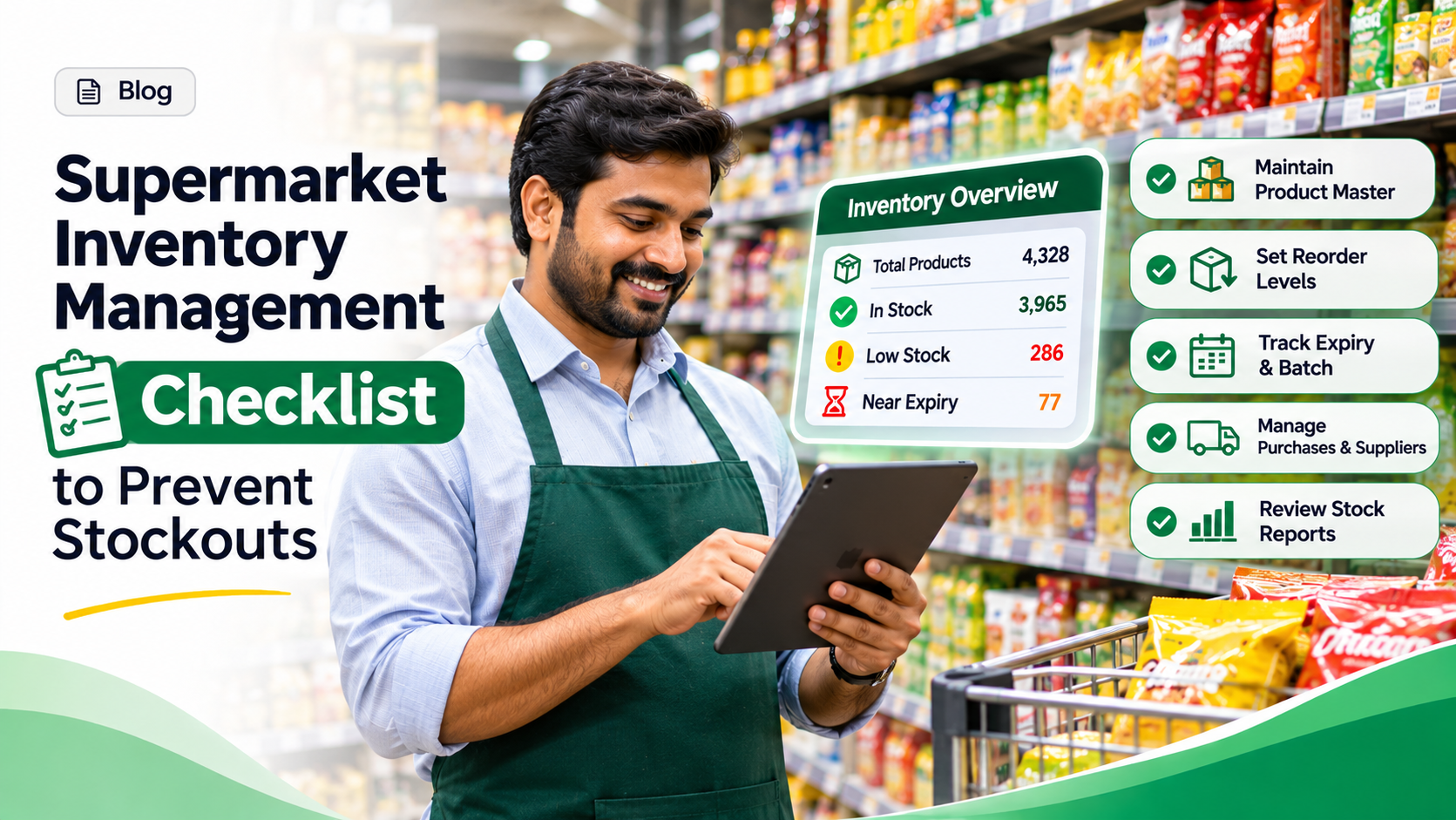
Inventory Management Checklist for Supermarkets: How to Prevent Stockouts and Manage Stock Efficiently
Supermarkets can prevent stockouts by monitoring fast-moving products, setting appropriate reorder levels, tracking expiry dates, recording purchases accurately and reviewing stock movement regularly. A structured inventory management checklist helps supermarket owners maintain product availability, reduce wastage, avoid excess stock and keep daily operations running smoothly.
Managing inventory in a supermarket is more complicated than simply counting products on shelves. A typical supermarket handles hundreds or thousands of products across different categories, brands, package sizes and expiry periods.
Without a proper inventory management process, popular products may run out unexpectedly while slow-moving items occupy valuable storage space.
Whether you operate a neighbourhood supermarket, grocery store or multiple retail outlets, the right inventory practices can help you maintain better control over your stock.
In this guide, we cover a practical supermarket inventory management checklist, common stock management mistakes and how billing and inventory software can simplify everyday operations.
Quick Answer: How Can Supermarkets Prevent Stockouts?
Supermarkets can reduce stockouts by following these essential practices:
1. Maintain an updated product database. 2. Identify fast-moving and slow-moving products. 3. Set minimum stock and reorder levels. 4. Monitor purchase orders and supplier deliveries. 5. Track batch numbers and product expiry dates. 6. Record every sale, purchase and stock adjustment. 7. Conduct regular physical stock counts. 8. Review stock movement and inventory reports. 9. Transfer stock between branches when necessary. 10. Investigate recurring stock discrepancies.
Following these practices helps supermarket owners maintain product availability without unnecessarily increasing inventory costs.
1. Why Is Inventory Management Important for Supermarkets?
Inventory directly affects customer satisfaction, operating expenses and profitability.
Imagine a customer visiting your supermarket to purchase a popular cooking oil brand. If the product is unavailable, the customer may purchase it elsewhere.
Now consider the opposite situation: your supermarket has purchased too many units of a product that sells slowly. Your money remains tied up in inventory that is not generating sales.
Both situations create business problems.
Effective inventory management helps supermarkets:
- Reduce stockouts of frequently purchased products.
- Avoid unnecessary overstocking.
- Monitor product expiry dates.
- Improve purchase planning.
- Maintain accurate stock records.
- Understand product-wise sales performance.
- Manage inventory across multiple branches.
- Reduce avoidable inventory losses.
The objective is not to maintain maximum stock. It is to maintain the right products in the right quantities at the right time.
2. Supermarket Inventory Management Checklist
Use this checklist to evaluate your current stock management process.
A. Product Master Management
Every product should have accurate information in your inventory system.
| Information | Why it matters |
|---|---|
| Product name | Identifies the correct item |
| Category | Organizes products |
| Brand | Helps distinguish similar products |
| SKU or barcode | Supports accurate identification |
| Purchase price | Helps maintain purchase records |
| Selling price | Supports accurate billing |
| Unit of measurement | Prevents quantity confusion |
| GST classification | Supports correct tax configuration |
| Minimum stock level | Helps identify low-stock items |
For example, a supermarket selling several brands of rice should maintain separate product records for each brand and package size.
**Checklist:**
- [ ] All products are registered.
- [ ] Duplicate product records are removed.
- [ ] Selling prices are updated.
- [ ] Product categories are organized.
- [ ] Units and package sizes are correctly maintained.
- [ ] Barcode information is verified where applicable.
B. Monitor Fast-Moving and Slow-Moving Products
Not every product sells at the same speed.
Fast-moving products require more frequent stock monitoring, while slow-moving products need careful purchasing decisions.
For example:
| Product | Typical movement | Recommended action |
|---|---|---|
| Milk | Fast-moving | Check stock daily |
| Bread | Fast-moving | Monitor sales and expiry |
| Cooking oil | Medium to fast | Review weekly demand |
| Premium dry fruits | Slow-moving | Monitor stock turnover |
| Seasonal products | Variable | Adjust purchasing to demand |
These are illustrative examples; actual movement depends on the supermarket's customers and location.
**Checklist:**
- [ ] Identify your top-selling products.
- [ ] Review product-wise sales reports.
- [ ] Identify products with low sales.
- [ ] Adjust purchasing quantities based on demand.
- [ ] Monitor seasonal demand changes.
C. Set Minimum Stock and Reorder Levels
Reorder levels help supermarket owners identify when a product needs replenishment.
A simple formula is:
Reorder Point = Average Daily Sales × Supplier Lead Time + Safety Stock
For example:
- Average daily sales: 20 units
- Supplier delivery time: 3 days
- Safety stock: 20 units
Reorder point = (20 × 3) + 20 = 80 units.
When available stock approaches 80 units, the store should review its next purchase.
The safety stock provides a buffer against unexpected demand or delivery delays.
**Checklist:**
- [ ] Identify products that frequently go out of stock.
- [ ] Estimate average daily sales.
- [ ] Understand supplier delivery timelines.
- [ ] Set suitable minimum stock levels.
- [ ] Review reorder quantities regularly.
- [ ] Consider seasonal demand and supplier delays.
D. Manage Supplier Purchases and Deliveries
Supplier management plays an important role in supermarket inventory planning.
Incorrect purchase entries, delayed deliveries and unrecorded stock receipts can create differences between physical and recorded inventory.
**Checklist:**
- [ ] Maintain updated supplier details.
- [ ] Record every purchase.
- [ ] Verify received quantities against purchase documents.
- [ ] Check damaged or missing products.
- [ ] Record purchase returns.
- [ ] Monitor outstanding supplier payments.
- [ ] Review supplier delivery timelines.
For example, if you ordered 100 units of a product but received only 95, the inventory records should reflect the actual quantity received.
E. Track Batch Numbers and Expiry Dates
Expiry management is particularly important for supermarkets selling packaged food, dairy products, beverages and other perishable goods.
Products with shorter expiry periods should receive greater attention.
The FIFO (First In, First Out) method helps ensure older stock is sold before newer stock.
Where expiry dates differ, FEFO (First Expired, First Out) is an even more appropriate approach because products closest to expiry should be prioritized.
**Checklist:**
- [ ] Record batch details where applicable.
- [ ] Maintain expiry dates.
- [ ] Check products approaching expiry.
- [ ] Prioritize products with earlier expiry dates.
- [ ] Separate damaged and expired products.
- [ ] Review expiry-related inventory losses.
F. Conduct Regular Physical Stock Verification
Your software records should match the actual stock available in the store.
However, differences can occur because of damaged goods, unrecorded sales, purchase-entry errors, returns or manual stock adjustments.
Conduct physical stock counts regularly.
| Frequency | Recommended activity |
|---|---|
| Daily | Check critical fast-moving products |
| Weekly | Count selected high-value products |
| Monthly | Conduct category-wise stock verification |
| Periodically | Perform a comprehensive inventory audit |
**Checklist:**
- [ ] Verify physical stock against recorded stock.
- [ ] Investigate quantity differences.
- [ ] Record damaged products.
- [ ] Review stock adjustments.
- [ ] Identify recurring discrepancies.
3. Common Inventory Management Mistakes Supermarkets Should Avoid
Even established supermarkets can experience inventory problems because of inconsistent processes.
Here are some mistakes worth avoiding.
Relying entirely on manual stock registers
Manual records become difficult to maintain when product volumes and daily transactions increase.
A digital inventory system can make stock tracking and reporting easier.
Purchasing without reviewing sales trends
Ordering products based only on assumptions can create excess inventory or shortages.
Review historical sales and current stock before purchasing.
Ignoring expiry dates
Expired products create financial losses and can damage customer trust.
Maintain batch and expiry information wherever applicable.
Not recording every purchase and return
Missing purchase entries or returns can cause inventory records to become inaccurate.
Record transactions consistently.
Failing to monitor branch-wise inventory
Supermarkets operating multiple branches should maintain visibility into stock availability at each location.
Without branch-wise records, one store may have excess stock while another experiences shortages.
4. How Can Inventory Management Software Help Supermarkets?
As supermarket operations grow, maintaining inventory through spreadsheets or handwritten registers becomes increasingly difficult.
Inventory management software brings product records, purchases, sales and stock information together.
A suitable system should support:
**Real-time stock tracking**
Update stock records as sales and purchases are recorded.
**Product and category management**
Maintain organized product records, brands, units and prices.
**Batch and expiry tracking**
Monitor batch information and expiry dates for products that require them.
**Purchase management**
Record supplier purchases and maintain purchase history.
**Stock transfers**
Track inventory transfers between supported branches.
**Sales and inventory reports**
Review product-wise sales, stock movement and inventory information.
These capabilities help supermarket owners make more informed purchasing and inventory decisions.
5. How DVyapar Helps Supermarkets Manage Inventory
DVyapar is cloud-based billing, GST invoicing and inventory management software designed for Indian retail businesses.
It helps supermarket owners bring important daily operations together.
Inventory tracking
Maintain product records and monitor stock quantities as sales and purchases are recorded.
Batch and expiry management
Maintain batch and expiry information to improve visibility over products that require expiry tracking.
Purchase management
Record purchases and maintain supplier-related transaction information.
Multiple-branch stock transfers
Manage stock transfers between supported branches and maintain better visibility of branch-wise inventory.
Sales and stock reports
Review sales activity, stock movement and business performance through reports.
POS billing
Generate customer invoices using saved product records and configured tax details.
With billing, inventory and reporting available in one platform, DVyapar helps businesses organize their daily operations.
6. Daily, Weekly and Monthly Supermarket Inventory Checklist
Here is a practical schedule supermarket owners can follow.
| Frequency | Inventory activity |
|---|---|
| Daily | Review low-stock products |
| Daily | Monitor fast-moving items |
| Daily | Check critical expiry-sensitive products |
| Daily | Record purchases and sales |
| Weekly | Review product-wise sales |
| Weekly | Identify slow-moving products |
| Weekly | Verify selected physical stock |
| Monthly | Conduct category-wise stock audit |
| Monthly | Review supplier performance |
| Monthly | Analyze inventory discrepancies |
| Monthly | Reassess reorder levels |
The schedule can be adjusted depending on the supermarket's size, product categories and transaction volume.
7. Frequently Asked Questions About Supermarket Inventory Management
1. What is the best way to prevent stockouts in a supermarket?
The best approach is to monitor fast-moving products, maintain suitable reorder levels, review supplier delivery timelines and check stock availability regularly.
2. How do supermarkets calculate reorder levels?
A supermarket can calculate its reorder point using average daily sales multiplied by supplier lead time, plus safety stock.
3. What is the difference between FIFO and FEFO?
FIFO means First In, First Out, where older received stock is sold first. FEFO means First Expired, First Out, where products with the earliest expiry dates are prioritized.
4. How often should supermarkets conduct stock audits?
Supermarkets should conduct regular checks based on product movement and business requirements. Critical products can be checked daily, selected categories weekly and comprehensive stock verification periodically.
5. How can supermarkets manage expired products?
Maintain batch and expiry records, regularly review approaching expiry dates, prioritize products with earlier expiry dates and separate expired or damaged goods from saleable inventory.
6. Can inventory management software reduce stockouts?
Inventory software helps businesses monitor stock levels, review product movement and identify replenishment requirements. Its effectiveness depends on accurate transaction records and regular stock reviews.
7. Can supermarkets manage multiple branches using inventory software?
Yes. Suitable inventory systems can support branch-wise stock visibility and stock transfers, helping owners coordinate inventory across locations.
8. Is inventory management software useful for small supermarkets?
Yes. Small supermarkets can benefit from organized product records, purchase tracking, stock monitoring and sales reports, even when they operate a single location.
Final Thoughts
Inventory management is not simply about keeping more products in stock. It is about understanding what customers purchase, how quickly products move and when replenishment is required.
A consistent inventory checklist helps supermarkets reduce avoidable stockouts, monitor expiry dates, control excess stock and improve purchasing decisions.
As the business grows, using inventory management software can make these activities easier to organize and monitor.
**Want better control over your supermarket inventory?**
Explore DVyapar to manage billing, purchases, stock tracking, batch and expiry details, stock transfers and business reports.
FAQs
Frequently asked questions about Dvyapar
These answers stay the same across the site so readers get a clear product overview wherever they land.
Is DVyapar's online GST billing software suitable for small businesses?
Yes. DVyapar is built for retailers, wholesalers, distributors, and service businesses of all sizes. Its intuitive interface makes it easy for anyone to start using without technical expertise.
Why choose DVyapar over other GST billing software?
DVyapar focuses on simplicity, speed, and affordability. It combines billing, inventory, GST compliance, customer management, and business reporting into one easy-to-use platform, making it one of the best GST billing software in India for growing businesses.
Can I create GST invoices on DVyapar ?
Yes. DVyapar is one of the best GST bill invoice software. It lets you generate accurate GST-compliant invoices with automatic tax calculations in just a few clicks. In addition, you do not require any technical knowledge to learn it.
Can DVyapar help me manage inventory and purchases?
Yes, DVyapar's bill generator software can help you manage inventory and purchases easily. Every sale and purchase automatically updates your inventory, helping you maintain accurate stock levels and simplify inventory management.
Is DVyapar a cloud-based GST billing software?
Yes. As a secure online GST billing software, DVyapar allows you to access your business from anywhere without installing software. You can login with our credentials on the web or phone and access all the records and reports.
Do I need technical knowledge to use DVyapar?
No, you do not require any technical knowledge. DVyapar is built with simplicity in mind, making it easy for anyone to use. Its intuitive interface allows you to create invoices, manage inventory, and handle daily business operations.
Can I use Dvyapar on a phone?
Yes. The product is made to be usable on phone and desktop, so staff can work the way that suits the store best.
Can I share bills with customers?
Yes. You can print bills or share them digitally, including through common customer follow-up flows such as WhatsApp.
How do I get started?
Register here: https://app.dvyapar.com/register. Create your account, explore the product, and book a demo if you want help setting it up.
Is there a free trial?
Yes. You can start with a trial, try the main workflow, and see if it fits your shop before you move ahead.
How does pricing work?
Pricing is kept simple so you can compare the plan that matches your store size, billing counter, and support needs.
Can I manage multiple stores?
Yes. Dvyapar can support stores that want to keep more than one counter or location in a single view.
Does Dvyapar show reports?
Yes. You can check sales, stock movement, and daily business activity so the owner can review the store quickly.
Can I get help after signup?
Yes. You can book a demo or reach the team for setup help so the first day feels easier.