
GST billing and invoicing
Create sales invoices with product, customer and tax details, then keep each bill with your sales records.
Launch faster with the new Dvyapar retail stack · Premium billing, inventory, and multi-store workflows for Indian SMEs.
DVyapar product features
DVyapar is a cloud-based business management and billing platform for Indian businesses. It brings together GST invoicing, POS billing, inventory, purchases, customer management, payments and business reporting, with workflows designed for different business types.
From GST billing and inventory to purchases, customers and business reports, DVyapar brings your everyday business operations together in one platform.
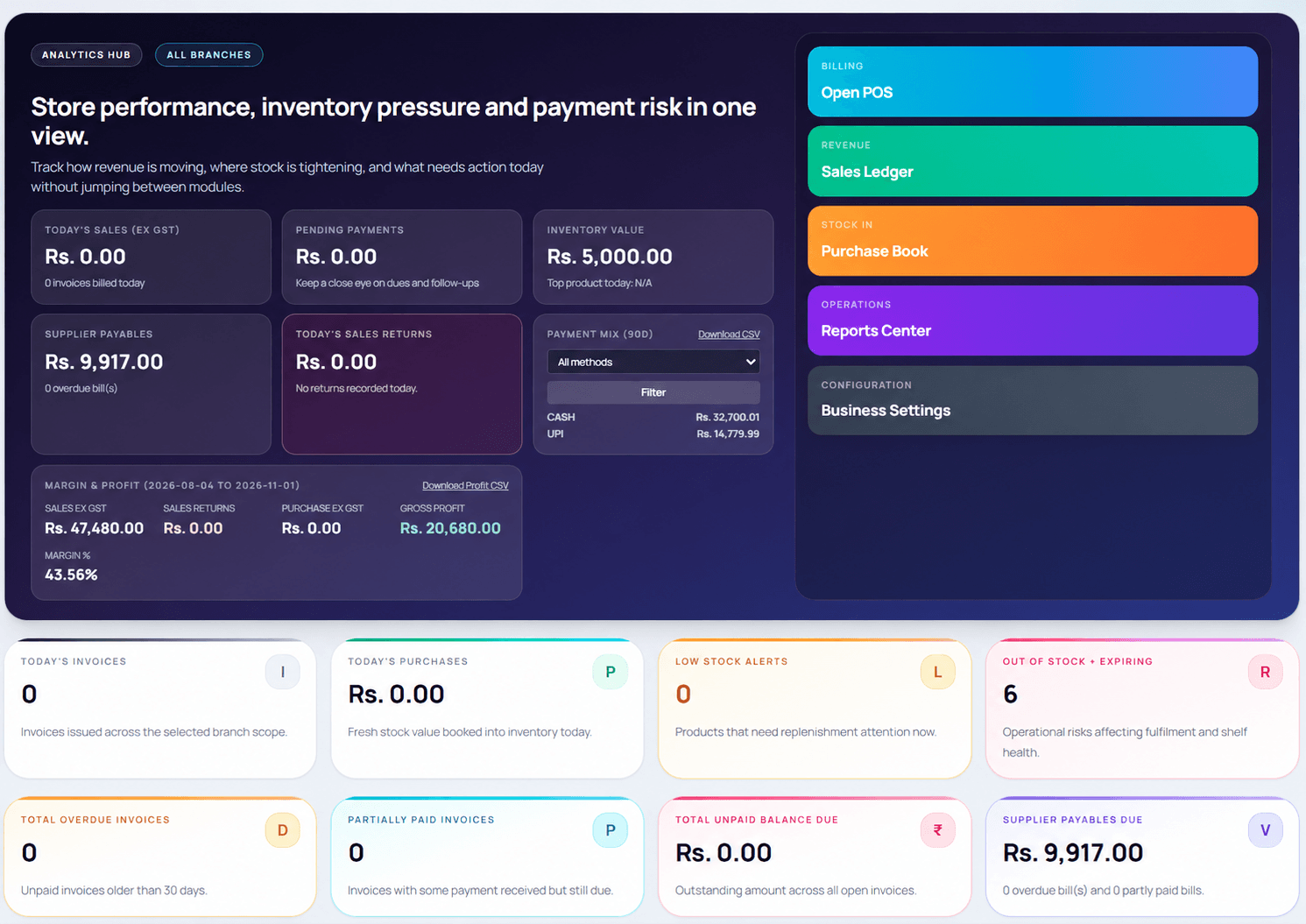
Product overview
Explore the connected tools for everyday business operations. Open a focused feature guide for more detail on billing, POS, inventory or barcode workflows.
Create sales invoices with product, customer and tax details, then keep each bill with your sales records.
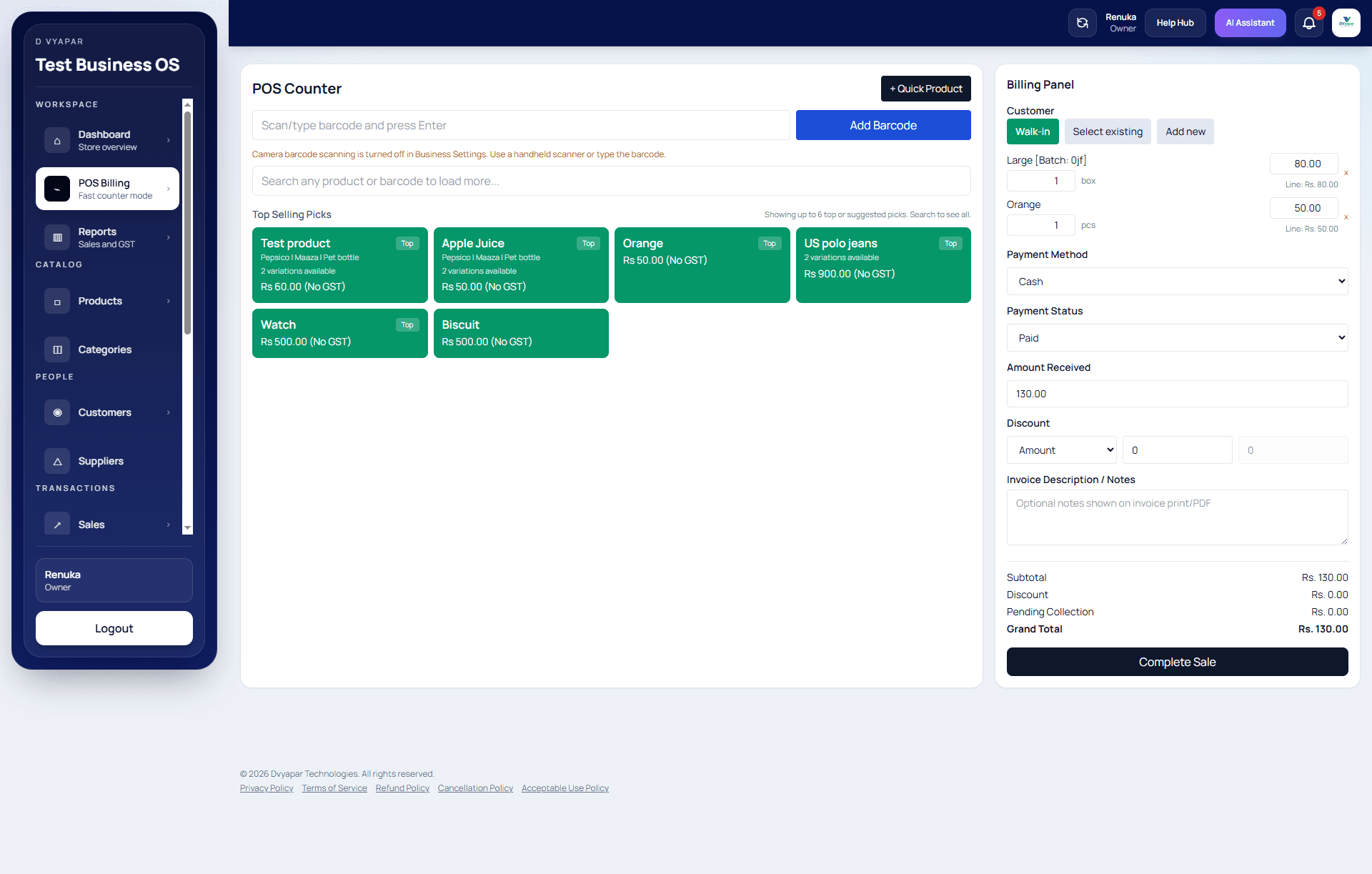
Build a counter sale by searching for or selecting products, adding a customer and recording payment details.
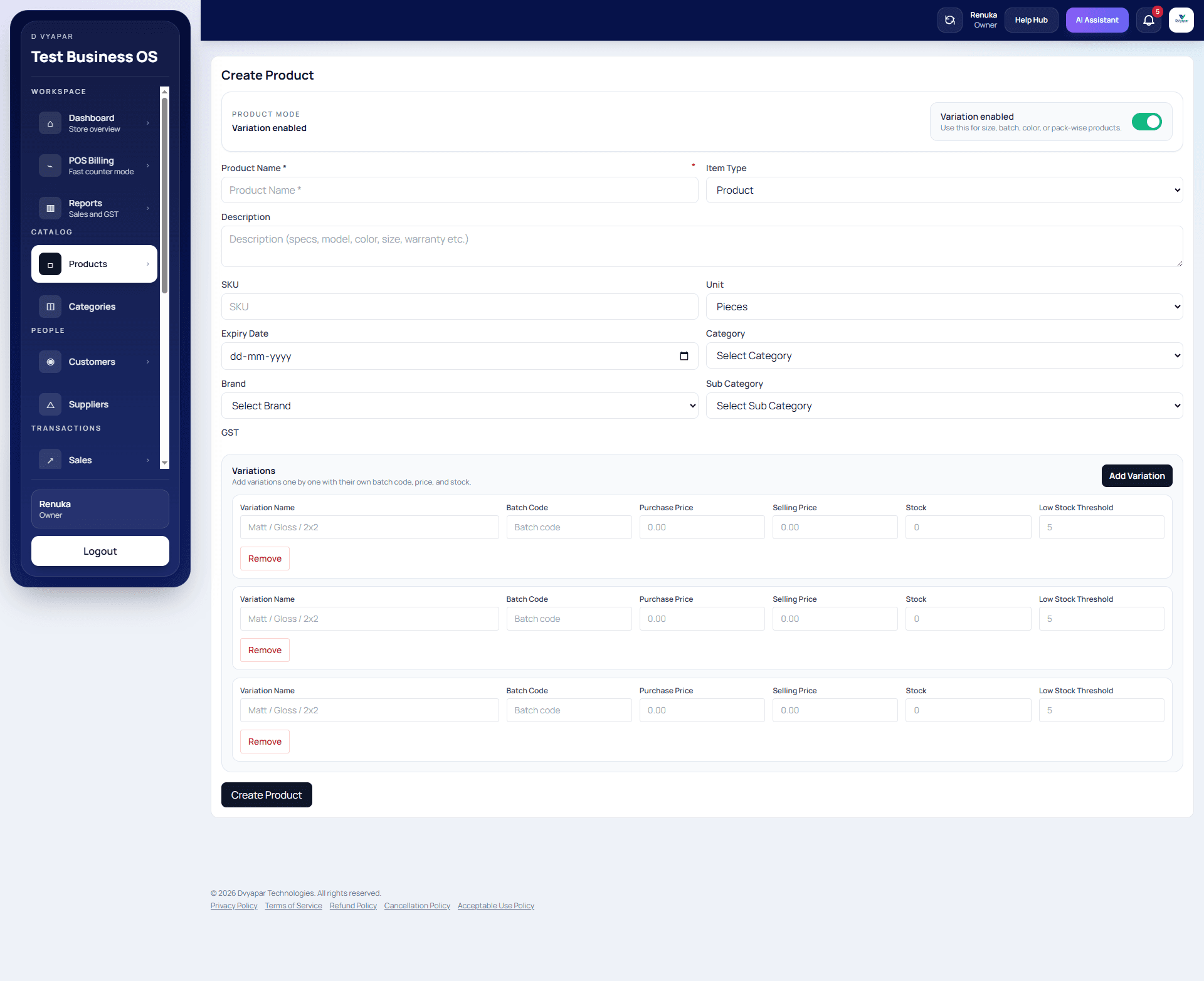
Keep a product catalogue and review stock information alongside purchases, sales and low-stock indicators.
Use product barcodes as part of the billing workflow. Scanner and barcode setup depend on your devices and catalogue.
Record purchases and supplier details so incoming stock and purchase history are easier to review.
Keep customer details connected to sales and invoice activity for easier lookup during billing.
Share an invoice with a customer through WhatsApp from the billing flow. This is invoice sharing, not bulk messaging.
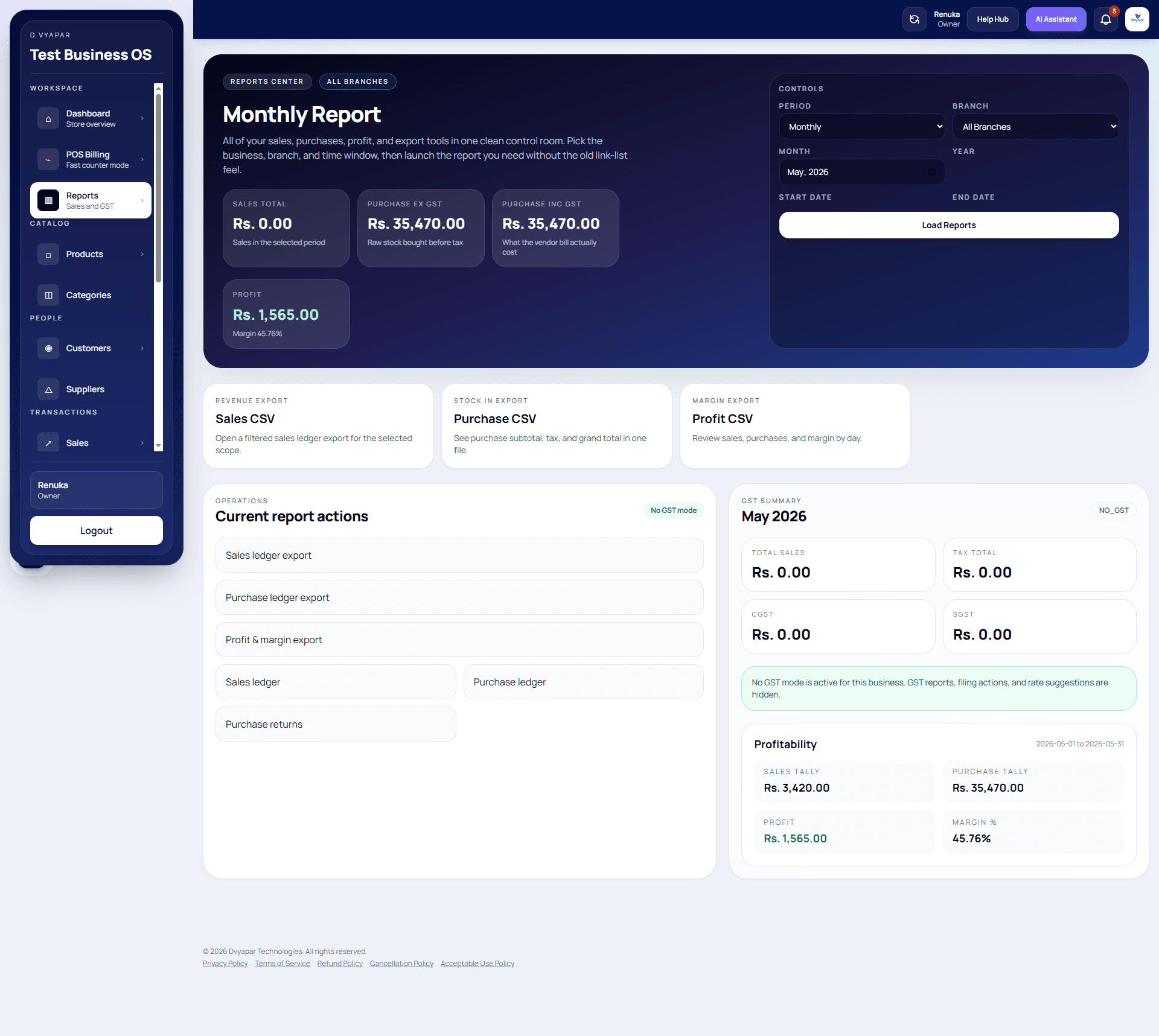
Review sales, purchase, payment and profit information in the reporting workflow to understand business activity.
Use the web-based product on supported desktop and mobile devices. Device access does not determine user or branch entitlements.
Connected workflow
A straightforward sequence connects the records you create during a business day, from products and purchases through billing and reporting.
Set up the items and supplier records used in your day-to-day work.
Keep purchase entries connected to the stock and supplier information you review.
Select products, enter sale details and record the payment status.
Keep payment details with the related sales activity.
Send the bill to your customer through the available WhatsApp sharing flow.
Use sales, purchase and profit views to review recorded activity.
Business workflows
See how DVyapar describes its workflows for retail, trade, transport and service businesses on their dedicated pages.
Counter billing, product stock and day-to-day sales workflows.
Billing and inventory workflows for larger orders and trade customers.
Transport records and business billing in a workflow for transport operators.
Business management workflows for wellness services.
Service and customer workflows for salon businesses.
A business workflow for spa services and customer records.
Business workflows for yoga studios and their customers.
Inside the product
These product screenshots show billing, product and inventory records, and business reporting in the application.
Frequently asked questions
DVyapar brings billing, POS, products and inventory, purchase records, customer information, invoice sharing and business reports into one business management platform. The exact workflows available to your account can depend on your setup and plan.
DVyapar supports GST invoice workflows for Indian businesses. Add the business, customer, product and tax details that apply to your transaction, and review your configuration with your tax adviser where needed.
Yes. The product includes a product catalogue and inventory workflows, with stock information connected to purchase and sales activity. You can also review stock indicators and inventory information in the application.
Barcode billing is available as part of the product workflow. Scanner compatibility depends on the device and setup, so confirm your hardware and barcode format with the DVyapar team before purchasing equipment.
Printing options can depend on your device, browser and printer configuration. Contact support with your printer model to confirm the setup before relying on a specific thermal printer workflow.
Yes. DVyapar supports sharing invoices with customers through WhatsApp. This describes invoice sharing; it does not mean automated campaigns, broadcasts or WhatsApp CRM functionality.
You can record purchase activity and supplier information, and review purchase data in the product. The purchase workflow can help keep incoming stock and business records together.
DVyapar includes business reporting workflows for reviewing sales, purchases, payments and profit information. Report availability and the figures shown depend on the records entered in your account.
User access is available according to the selected subscription plan. Check the current pricing page for the number of users included with each plan and choose the plan that matches your team.
DVyapar is a web-based product designed for supported desktop and mobile devices. Device access and the number of user accounts are separate; account limits follow your subscription plan.
DVyapar has a dedicated transport business page describing the relevant workflows. Visit it to review the transport capabilities and confirm that they match your operation.
DVyapar has dedicated pages for salon, spa, wellness and yoga businesses. Those pages explain the business-specific workflows; review them or book a demo to confirm suitability for your services.
Bring your billing, inventory and business operations together with DVyapar.