Barcode Billing Feature
A focused feature page for scan-first checkout and faster item entry.
Barcode Billing Feature helps buyers who want a scan-first checkout flow move from research to a real workflow with less confusion and more confidence.
See how billing, stock, and pricing work together before you try the product.
Introduction
A direct answer for barcode billing feature.
Barcode Billing Feature helps buyers who want a scan-first checkout flow move from research to a real workflow with less confusion and more confidence.
barcode billing feature is a retail operating layer that helps buyers who want a scan-first checkout flow run billing, stock, and reporting from one system.
It is useful when the team wants a clearer workflow around help visitors understand how barcode-based checkout reduces typing and speeds up billing, because the day does not have to be split across paper, spreadsheets, and separate tools.
What is
What is barcode billing feature?
A quick answer first, then a little more detail for store owners who want context.
barcode billing feature is a retail operating layer that helps buyers who want a scan-first checkout flow run billing, stock, and reporting from one system.
It is useful when the team wants a clearer workflow around help visitors understand how barcode-based checkout reduces typing and speeds up billing, because the day does not have to be split across paper, spreadsheets, and separate tools.
How does
How does barcode billing feature work?
The workflow is simple: add the customer, make the bill, update stock, and share the result.
The workflow starts with the bill or sale, then keeps the customer, item, tax, and stock details aligned as the transaction is completed.
Once the sale is saved, the same flow supports WhatsApp sharing, payment tracking, and reporting, which means the business does not need to repeat the same work in another tool.
Benefits
Benefits of barcode billing feature
Short points keep the page easy to read on phone or desktop.
Key Features
Key features that matter first
These cards show what each part does for your store.
Industry Use Cases
Industry use cases
These examples show where the product fits in day-to-day store work.
Scan items at the counter instead of typing every product name. This matters because help visitors understand how barcode-based checkout reduces typing and speeds up billing helps the store run more smoothly and keeps customers moving.
Reduce pricing and item-entry mistakes during busy hours. This matters because help visitors understand how barcode-based checkout reduces typing and speeds up billing helps the store run more smoothly and keeps customers moving.
Keep barcode workflows aligned with inventory updates and reports. This matters because help visitors understand how barcode-based checkout reduces typing and speeds up billing helps the store run more smoothly and keeps customers moving.
Screenshots
Screenshots that make the software easy to see
Real product images help you understand the screens before you try them.
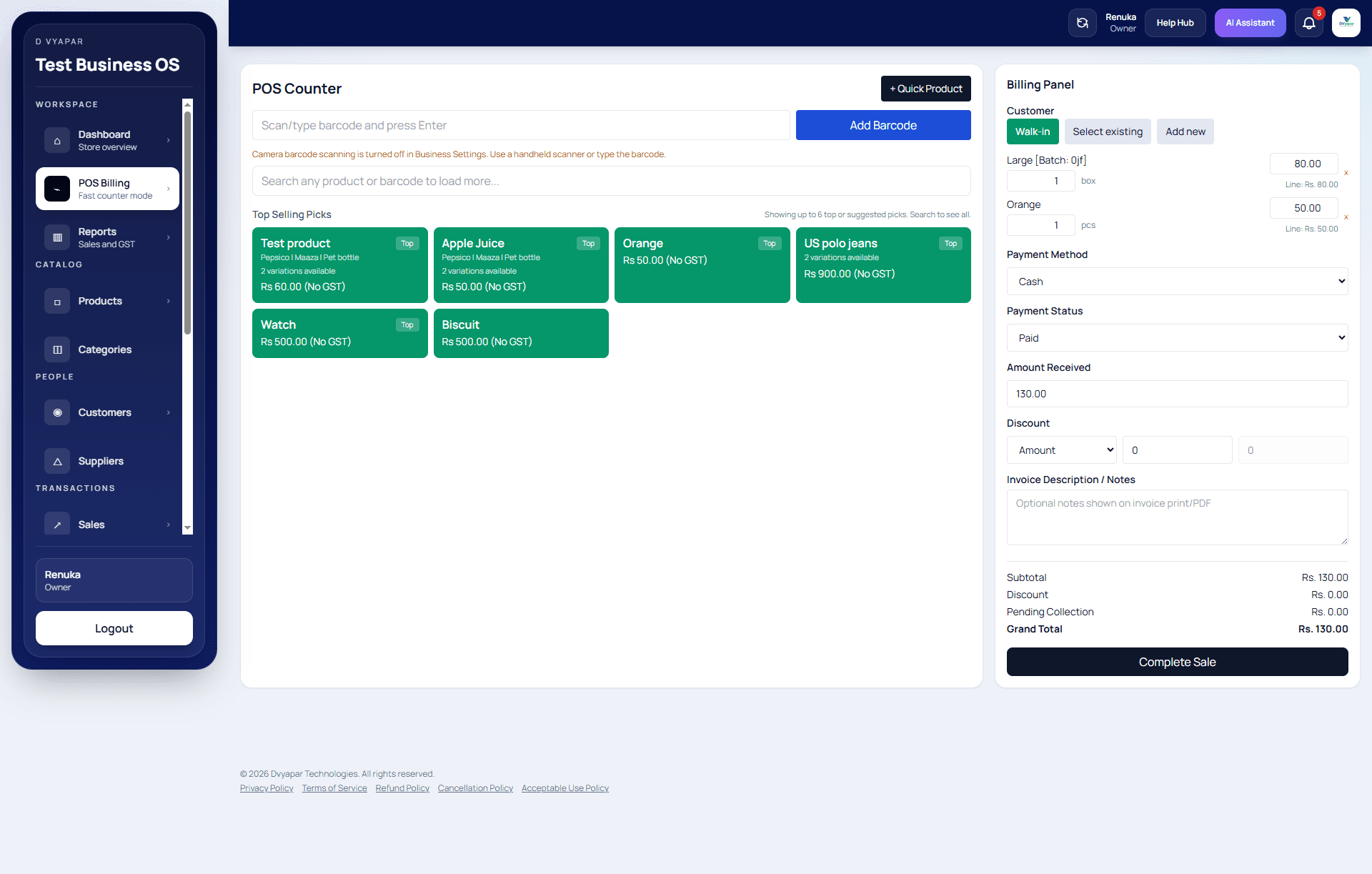
Point of sale screen for fast billing and checkout.
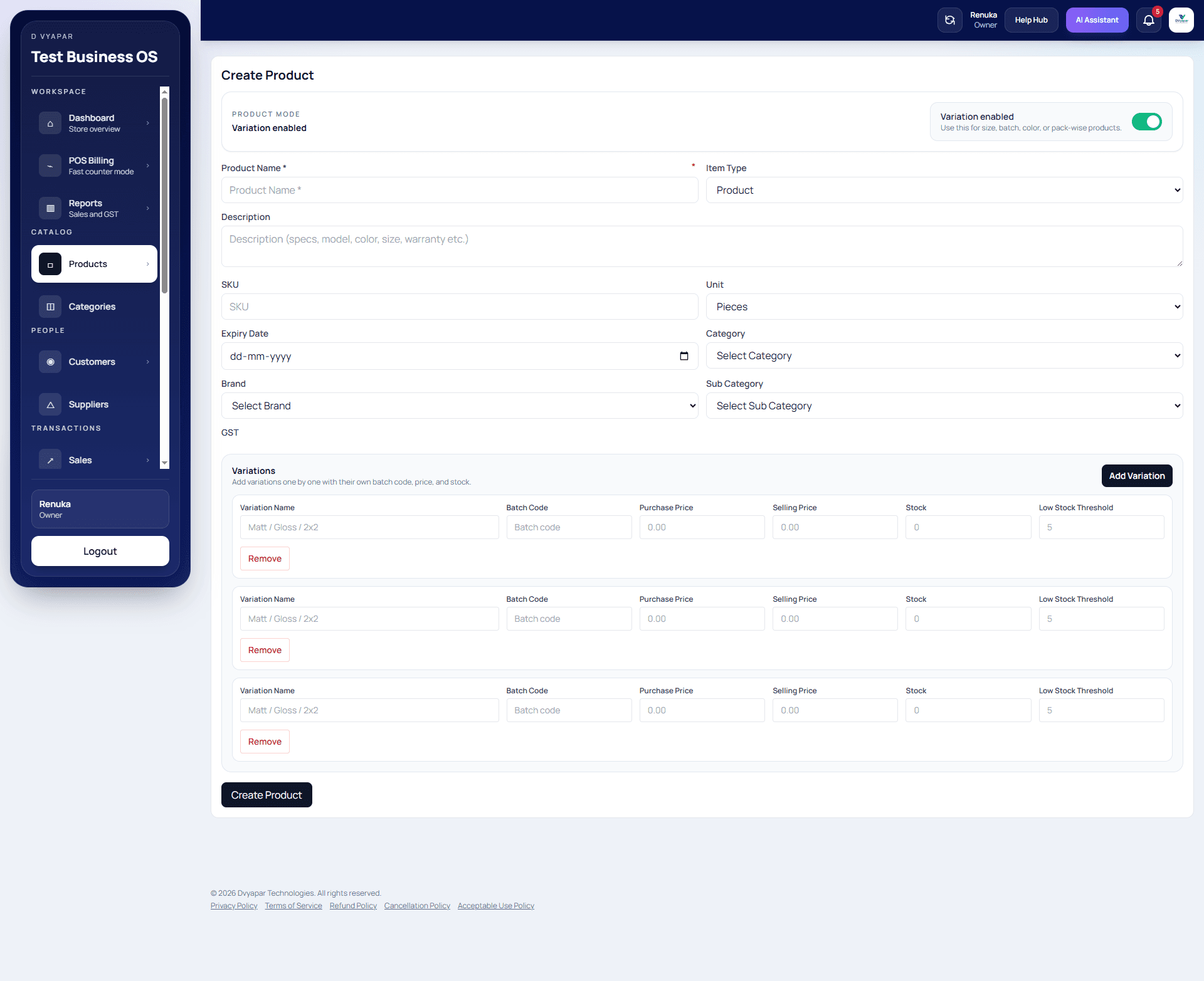
Product adding flow with pricing and item details.
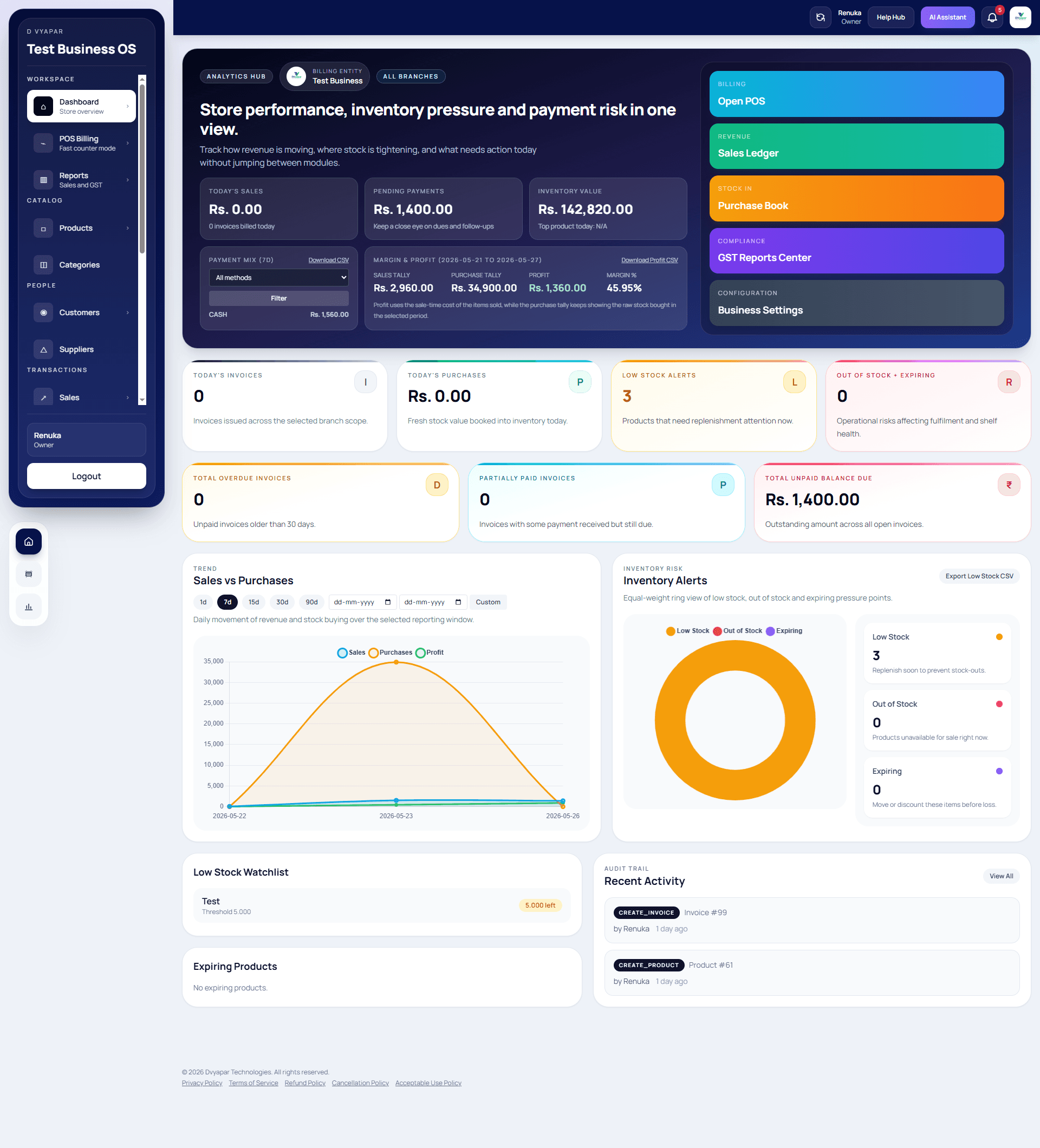
Dvyapar dashboard view with sales, stock, and status cards.
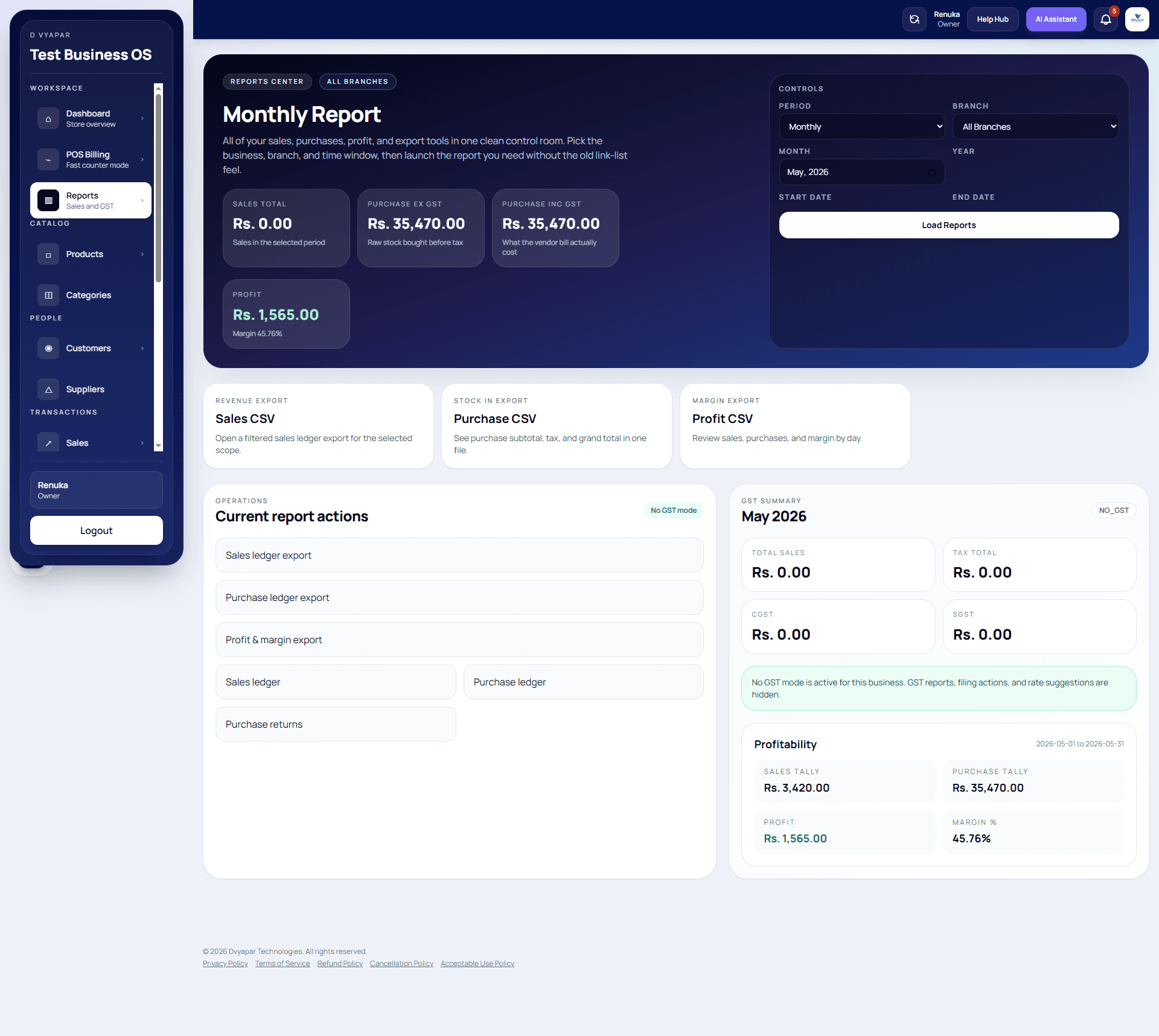
Reports screen with business analytics and trends.
Why choose
Why choose Dvyapar
Here are a few simple reasons retailers choose Dvyapar.
Dvyapar keeps the message focused on billing, stock, and the operational outcomes that matter to Indian retailers.
The pages are written in plain language so customers can scan them quickly and understand the benefit without confusion.
The product story stays practical: start with a trial, review pricing, and move into a demo if you want guided setup.
Contextual links make it easier to move into the blog, feature pages, and related industry pages without losing the thread.
How to get started
How to get started with Barcode Billing Feature
Follow these steps to start using it in your store.
Add the products, customers, and tax settings that matter most to buyers who want a scan-first checkout flow, then keep the setup focused on the first live sale.
Create the first bill or transaction and see how the workflow handles help visitors understand how barcode-based checkout reduces typing and speeds up billing in practice.
Check the dashboard, stock movement, and payment details so the owner can review the result quickly.
Add more users, counters, or locations once the first team is comfortable with the flow and the reports.
Pricing
Pricing that keeps the next step simple
The starter plan is enough to test barcode checkout, while the growth plan suits teams that need more control and reporting.
A good fit for a single counter or a small team that wants to move quickly.
A better fit for teams that need more guidance, users, and growth support.
Testimonials
What store owners say
The quotes focus on real results from everyday use.
The feature pages explain the workflow clearly, which helps buyers move from research to action.
The structure is practical: answer, proof, and then a simple next step.
These pages work because they speak in business terms first and software terms second.
FAQs
Frequently asked questions about barcode billing feature
Short answers help you decide faster.
Is DVyapar's online GST billing software suitable for small businesses?
Yes. DVyapar is built for retailers, wholesalers, distributors, and service businesses of all sizes. Its intuitive interface makes it easy for anyone to start using without technical expertise.
Why choose DVyapar over other GST billing software?
DVyapar focuses on simplicity, speed, and affordability. It combines billing, inventory, GST compliance, customer management, and business reporting into one easy-to-use platform, making it one of the best GST billing software in India for growing businesses.
Can I create GST invoices on DVyapar ?
Yes. DVyapar is one of the best GST bill invoice software. It lets you generate accurate GST-compliant invoices with automatic tax calculations in just a few clicks. In addition, you do not require any technical knowledge to learn it.
Can DVyapar help me manage inventory and purchases?
Yes, DVyapar's bill generator software can help you manage inventory and purchases easily. Every sale and purchase automatically updates your inventory, helping you maintain accurate stock levels and simplify inventory management.
Is DVyapar a cloud-based GST billing software?
Yes. As a secure online GST billing software, DVyapar allows you to access your business from anywhere without installing software. You can login with our credentials on the web or phone and access all the records and reports.
Do I need technical knowledge to use DVyapar?
No, you do not require any technical knowledge. DVyapar is built with simplicity in mind, making it easy for anyone to use. Its intuitive interface allows you to create invoices, manage inventory, and handle daily business operations.
Can I use Dvyapar on a phone?
Yes. The product is made to be usable on phone and desktop, so staff can work the way that suits the store best.
Can I share bills with customers?
Yes. You can print bills or share them digitally, including through common customer follow-up flows such as WhatsApp.
How do I get started?
Register here: https://app.dvyapar.com/register. Create your account, explore the product, and book a demo if you want help setting it up.
Is there a free trial?
Yes. You can start with a trial, try the main workflow, and see if it fits your shop before you move ahead.
How does pricing work?
Pricing is kept simple so you can compare the plan that matches your store size, billing counter, and support needs.
Can I manage multiple stores?
Yes. Dvyapar can support stores that want to keep more than one counter or location in a single view.
Does Dvyapar show reports?
Yes. You can check sales, stock movement, and daily business activity so the owner can review the store quickly.
Can I get help after signup?
Yes. You can book a demo or reach the team for setup help so the first day feels easier.
Ready to try barcode billing feature with Dvyapar?
Start the free trial, book a demo, or read more when you are ready.
Built for retail billing, stock, and reporting • Fast setup for busy Indian businesses • Retail-first onboarding with premium UX